


0

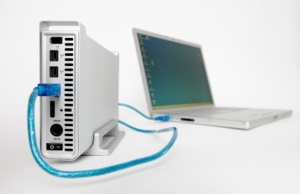 Hard drive recovery is used to recover files from a computer hard drive that has failed. Failure can be linked to virus download, logical failure or mechanical failure. Logical failure occurs when the hard drive remains functional, but certain data cannot be accessed. Mechanical failure refers to lost data due to a non-functioning hard drive. Files, folders, emails and database files can be lost during hard drive failure. Attempting to restart a personal computer with hard drive recovery software found free or for a fee online, may cause irreversible damage to a hard drive.
Software for Hard Drive Recovery May be Unsafe
When a hard drive fails, information is typically stored on the drive. Hard drive recovery software claims to find lost files, folders, emails and database files for little or no up-front cost. If the software fails to restore lost information, it could be impossible for a professional to restore it at a later date. Hard drive recovery software may damage files to the point where they are unrecoverable or damage additional files leading to greater loss.
Professional Hard Drive Recovery is Not a Quick Process – But it Works
Professional hard drive recovery typically starts with dismantling of the drive in a clean room. Clean rooms are dust free to ensure no additional damage occurs to the drive or data stored on the drive. After the drive is disassembled, an image or copy is made of the contents which are then accessed through a secure system and stored. In some cases, functional hard drives experiencing logical failure can be forced to read around corrupt sectors to access stored data.
Physical hard drive recovery involves the disc being removed from the personal computer. If the professional is local, the entire computer system can be taken in for hard drive recovery. Long distance recovery may involve sending the entire computer, or removed hard drive, through the mail for files to be recovered. Remote hard drive recovery is also an option in some cases.
Remote Hard Drive Recovery for Logical Failures
When a hard drive is affected by logical failure, remote hard drive recovery may be an option. Remote recovery takes place over a secure internet connection and typically takes about one hour to restore lost or damaged data. Before remote hard drive recovery can begin, professional recovery experts will connect to a personal computer via an Internet connect to diagnose the problem.

What else can I help you with?
What is a hard drive data recovery port called?
A hard drive data recovery port is called just that. It is a port used to recover lost data from a hard drive prior to it being overwritten by the drive. Do not attempt to do this alone unless you are a professional as you will likely lose your data.
It is possible to do your own hard drive recovery?
Hard drive recovery is difficult to accomplish without the proper tools or expertise. I would suggest hiring a professional so they can get it done right the first time.
How do I do hard drive recovery>?
You can get assistance with hard drive recovery from CP4.com. They are a professional data recovery company that will assist you with recovering your hard drive and lost data.
Do I need a professional to do a data recovery on my hard drive?
If you can't get into you computer then you are going to have to take it to a professional. The professional will be able to use their tools and resources to get into your hard drive and make a copy of it for you.
What is the job of a data recovery expert?
When you lose information on your hard drive or other drives of your computer, you can hire a data recovery expert. A data recovery expert is a professional who specializes in finding information that is lost on a drive.
How to recovery my permanent deleted files?
You can try Systweak Advanced File Recovery to scan your drive for permanently deleted files and attempt to recover documents, photos, videos, and other data. Avoid saving new files to the same drive to improve the chances of recovery.
Is it possible to perform a data recovery on a hard drive that has been damaged by fire?
Yes, it is possible to recover and/or repair a hard drive that has been damaged by the likes of "Mother Nature" (i.e. floods, fires, etc.). It is best done by someone with experience, however, and recommended that one hire a professional company (such as "CBL Data Recovery Technologies, Inc., which has various bases around the U.S.) to provide/attempt this service.
What do I need to do to get hard disk data recovery service?
To get a hard disk data recovery service, first stop using the affected drive so new data doesn’t overwrite the lost files, and don’t attempt DIY fixes that could worsen the damage. Then contact a recovery provider, share details about the failure (symptoms, error messages), and let them diagnose the drive before they proceed with any recovery plan. Now Data Recovery Services: Bangalore, India
How can one do a hard drive disk recovery?
Hard drive disk recovery can be done by using reliable data recovery software to scan the drive and restore lost, deleted, or corrupted files. If the hard drive has physical damage or is not detected by the system, it is usually better to seek help from professional data recovery experts who have specialized tools to recover the data safely. Now Data Recovery Services: Bangalore, India
How does one create a recovery drive in Windows 8?
One method to create a recovery drive in Windows 8 is to open the Charms bar. Once it is open, one should search for "create recovery drive." This will open a visual of the recovery drive. Next, one should click on the "crate recovery drive" under the settings. This will then start the recovery drive wizard.
Where can I get more information about hard drive recovery?
To get more information on hard drive recovery for a hard drive crash, you might want to look into www.salvagedata.com as they specialize in hard drive recovery for iso systems.
What can one do if the hard drive is clicking?
If a hard drive is clicking then a person should make a decision to try and back up or recover any files on the hard drive. Files on the hard drive can be recovered by using professional hard drive recovery systems.
